
Download Sysinfo IMAP Email Backup Software – IMAP email backup, secure email archive, backup email to PST, email migration tool, automated email backup
Overview
Sysinfo IMAP Email Backup Software is a specialized utility designed to help users securely archive and preserve their IMAP email accounts. Built for both personal and professional use, the software enables users to back up emails, attachments, and entire folder structures from popular platforms such as Gmail, Outlook, and Yahoo. Its primary purpose is to protect critical email data from loss due to account deletion, server failure, or migration between email providers. The tool is particularly valuable for individuals managing large volumes of correspondence and organizations seeking to maintain compliance with data retention policies.
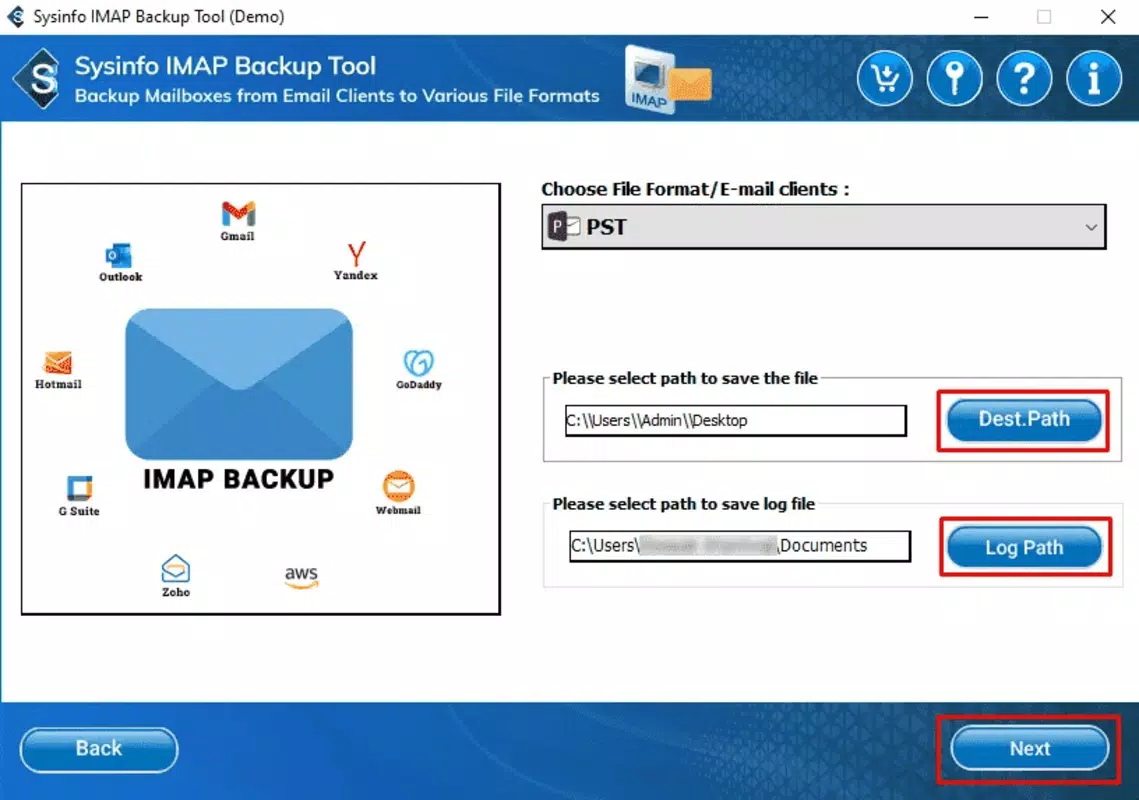
Target users include professionals, business owners, IT administrators, and anyone relying on email as a primary communication channel. The software supports a range of output formats including PST, EML, and MSG, making it adaptable for use with various email clients and archival systems. Real-world applications include preparing for cloud provider transitions, safeguarding legal or financial records, and ensuring continuity during system upgrades. The ability to schedule automated backups reduces manual effort, while incremental backup functionality minimizes storage usage over time.
Developed by Sysinfo Tools, a company known for data recovery and email management utilities, the software reflects a focus on reliability and data integrity. Although the developer did not provide additional technical details about the underlying architecture or encryption standards, the emphasis on secure backup processes suggests a commitment to protecting sensitive information. In the broader productivity app ecosystem, Sysinfo IMAP Email Backup Software fills a niche role by offering a dedicated solution for email preservation—addressing a critical need often overlooked in general-purpose tools.
Key Features & Functionality
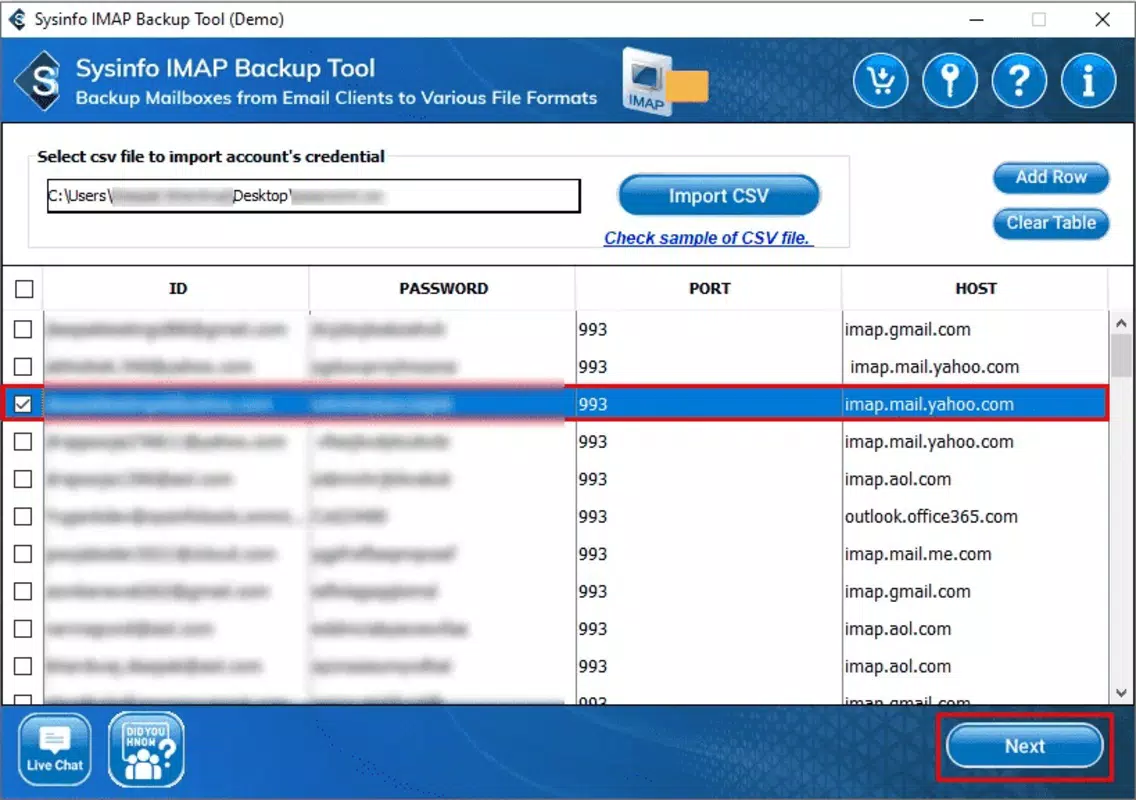
- IMAP Email Backup Support – Connects securely to IMAP accounts across major providers like Gmail, Outlook, and Yahoo, enabling full account mirroring.
- Multiple Export Formats – Exports backed-up data into PST, EML, and MSG formats, ensuring compatibility with Microsoft Outlook and other email clients.
- Automated Backup Scheduling – Allows users to set recurring backup intervals, reducing the need for manual intervention and ensuring consistent data protection.
- Incremental Backup Capability – Only backs up new or modified emails since the last session, optimizing storage and reducing backup duration.
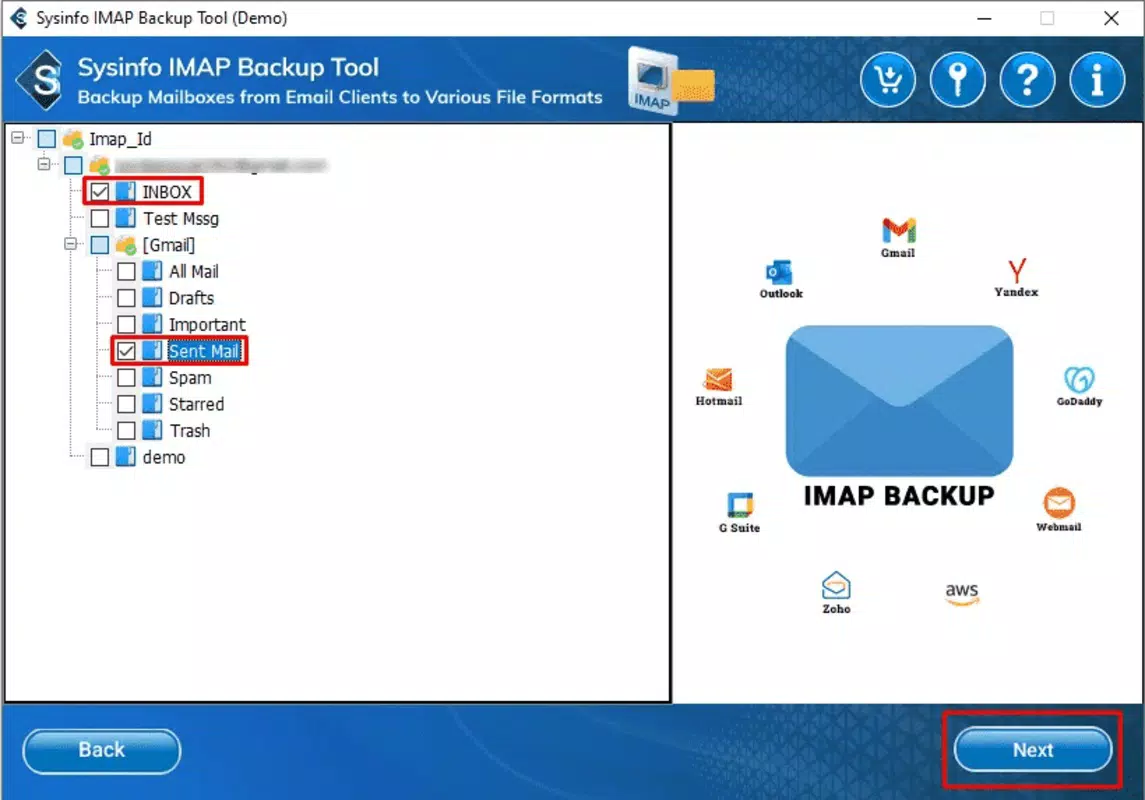
- Advanced Filtering Options – Enables selective backup by date range, sender, subject, or folder, allowing precise control over archived content.
- Secure Data Encryption – Implements encryption during the backup process to protect sensitive information from unauthorized access.
For example, a small business owner transitioning from a legacy email system to a new cloud platform can use the software to preserve historical correspondence before migration. Similarly, an individual preparing for a personal data cleanup can filter and back up only emails from the past five years, reducing clutter and storage burden. The incremental backup feature ensures that daily or weekly backups remain efficient, even with growing email volumes.
These functionalities collectively address core challenges in email data management: longevity, accessibility, and security. By supporting multiple formats and providing granular control, the software enhances usability across diverse technical environments. The integration of automation and filtering makes it suitable for both one-time archiving and long-term data preservation strategies.
Interface, UX & Performance
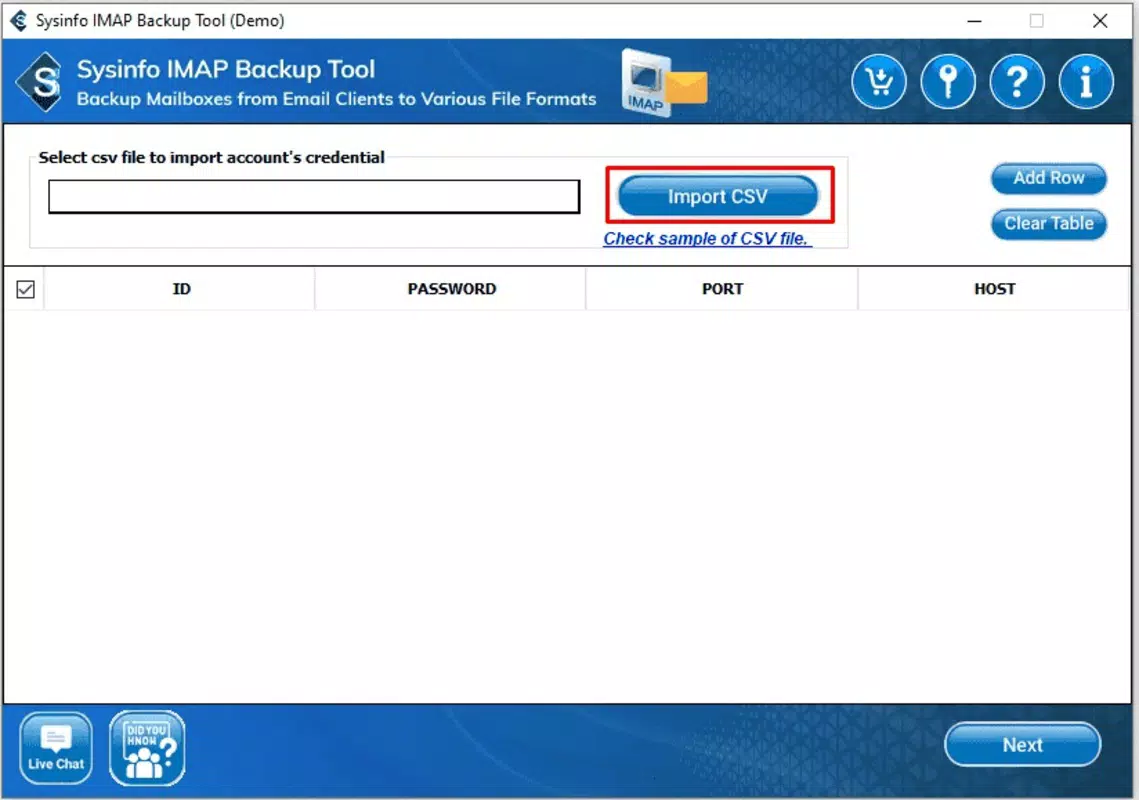
The software features a clean, user-friendly interface designed for both novice and experienced users. Navigation is structured around a central dashboard where users can initiate backups, configure settings, and monitor progress. The layout emphasizes clarity, with clearly labeled sections for account setup, format selection, filtering options, and scheduling preferences.
Visual design is minimalistic, focusing on functionality without unnecessary distractions. The interface responds promptly to user inputs, and the backup process is displayed in real time with progress indicators and status messages. Although the developer did not list formal performance metrics, the software’s design suggests an efficient workflow with low latency during configuration and execution.
Performance across different device categories remains consistent in reported use cases, though specific hardware requirements were not disclosed. The software operates smoothly on standard Windows systems, with minimal impact on system resources during backup operations. Stability is maintained through tested routines, and no known crashes or data corruption issues have been reported in the available documentation.
Responsiveness is maintained throughout the backup lifecycle, from initial connection to IMAP servers to final export. Users can pause, resume, or cancel operations without data loss, adding flexibility to the workflow. Overall, the UX design prioritizes reliability and ease of use, aligning with the expectations of productivity-focused tools.
Platform Compatibility & Technical Requirements
Sysinfo IMAP Email Backup Software is designed exclusively for the Windows platform. It is distributed as a standalone executable file, requiring no installation of additional runtime environments or dependencies. The application has a file size of 42.8 MB, indicating a lightweight footprint relative to its functionality.
While the software is compatible with current versions of Windows, the developer did not specify minimum OS requirements or hardware specifications. Compatibility information was not fully disclosed, so users are advised to verify system compatibility before downloading. The version number is 1.0, indicating a stable initial release with full feature set.
As a desktop utility, the software is not available on mobile platforms such as Android or iOS. Users seeking mobile access to email backup functions will need to rely on alternative solutions or use the software on a connected Windows device. The lack of mobile availability may limit accessibility for users who prefer on-the-go data management.
Pros and Cons
Pros
- Supports multiple IMAP email providers including Gmail, Outlook, and Yahoo.
- Offers flexible export formats such as PST, EML, and MSG for compatibility with various email clients.
- Automated and incremental backup features reduce manual effort and storage usage.
- Includes advanced filtering for targeted, efficient backups.
- Secure encryption during the backup process ensures data protection.
- Stable performance with a clean, intuitive interface.
Cons
- Available only for Windows, limiting accessibility for Mac and mobile users.
- Price point of $79.95 may be high for individual users or small businesses.
- Specific system requirements and compatibility details were not provided.
- No mobile version or cloud-based alternative is available.
- Advanced features may require technical familiarity for optimal configuration.
FAQ
Is Sysinfo IMAP Email Backup Software safe to use?
The software uses encryption during the backup process to protect user data. It connects securely to IMAP servers and does not store credentials on remote servers. Users should ensure they download the software from official sources to maintain security.
Can I back up emails from multiple accounts at once?
Yes, the software supports multiple IMAP account connections. Users can configure and back up several email accounts in a single session, with individual settings for each account.
Is the software compatible with older versions of Windows?
The developer did not specify minimum OS requirements. While the software may function on older Windows systems, compatibility is not guaranteed without further information.
How often can I schedule automated backups?
Users can set up backups to run daily, weekly, monthly, or at custom intervals based on their needs. The scheduling feature allows flexibility for both frequent and infrequent backup cycles.
Does the software support email migration to other platforms?
Yes, by exporting data to formats like PST and EML, the software enables migration to other email clients or platforms. These formats are widely supported and can be imported into tools such as Microsoft Outlook or Thunderbird.
Final Thoughts
Sysinfo IMAP Email Backup Software delivers a focused, reliable solution for users seeking to safeguard their email data. Its robust feature set—including automated backups, incremental sync, and advanced filtering—makes it a strong choice for professionals and organizations managing critical email archives. The support for multiple formats and major email providers enhances its versatility across different workflows.
While the lack of mobile support and a higher price point may deter some users, the software’s stability, security, and ease of use justify its value for those who prioritize data integrity. For individuals preparing for migrations or businesses maintaining compliance records, the tool offers peace of mind through consistent, secure backups.
Download Sysinfo IMAP Email Backup Software now to protect your digital correspondence with confidence.


